Xactimate Mobile Training
For Contractors: Beginner/Intermediate Xactimate Users
- Xactimate Training
- >
- Xactimate Mobile Training
Estimate a claim and settle on site all from your smartphone or tablet
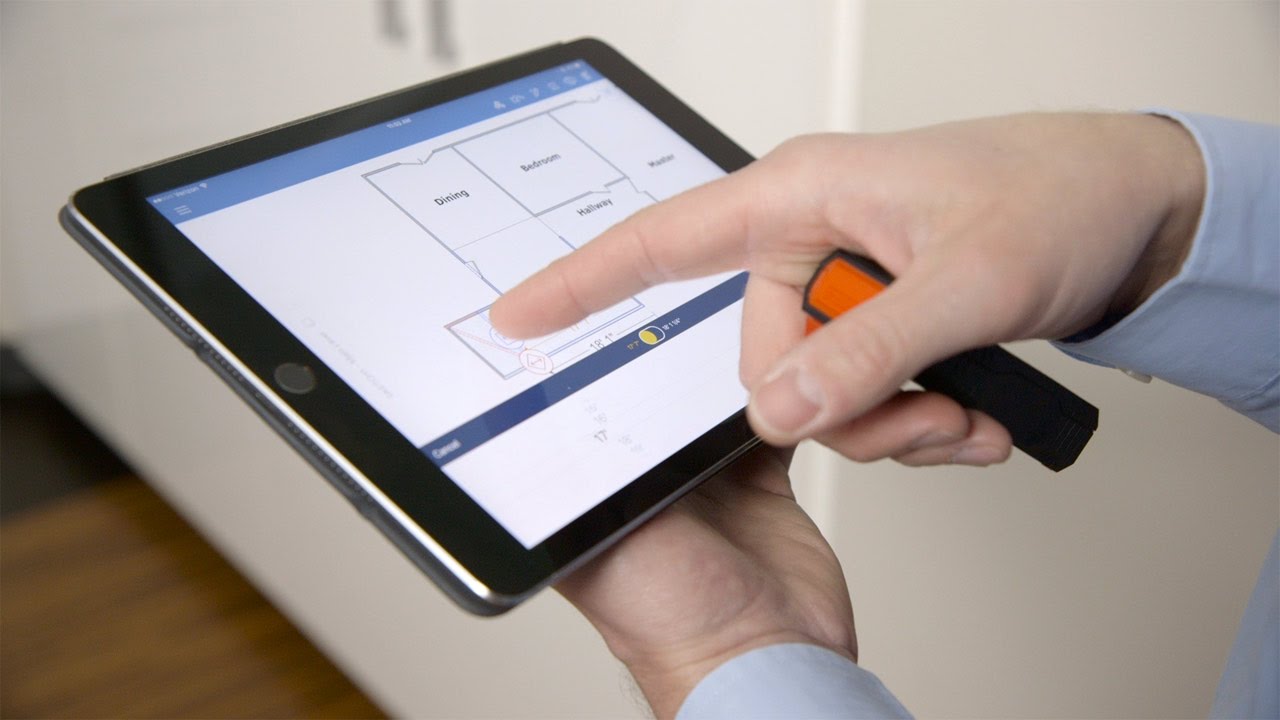
Use DISTO to import measurements into Sketch
Automatically receive line item suggestions in Xactimate Mobile
Use Mobile’s next-level photo handling
Save time manually measuring and entering dimensions
Capture video along with photos of a loss
Take field notes verbally – take notes as you go
Integrates with your Xactimate Desktop
In the Xactimate Mobile Course you will learn to:
- Use the Xactimate Mobile Home Screen, Projects Lists, Update Settings, Search, Sort, and Filter functions, and Map Projects.
- Enter information in the Required Info Screen
- Use Xactimate Mobile’s Sketch window to sketch a loss, add and manipulate room features, and use room variables.
- Scope a Loss by adding Line Items to your estimate.
- Add photos, video and make voice notes.
- Complete an Estimate and view, print, email, and export your estimate.
“I can get assignments, sketch structures, estimate and settle a claim all from my smartphone or tablet.”
Xactimate Mobile
- Use your Android or IOS devices
- Eliminate pencil and paper estimating
- Draw graphical representations of your property
- Use Mobile to estimate repair costs
- Insert photos and voice notes from your mobile device
- Map and get directions from Mobile for all of your assignments
Take back your evenings!
Xactimate mobile is a powerful tool available for your Android or iOS devices which gives you unparalleled access to and command of time-sensitive claims information. If you are looking to save time and money across your claims workflow Xactimate Mobile is here to help. Mobile can help by expediting the estimating process, lessening the probability of costly on-site follow-ups or mistakes, and streamlining data-flow bottlenecks.
Xactimate mobile combines the ability to access or update data anytime, anywhere, with the capability to tailor interpretive frameworks to individuals or claims. You can access or input claim information, sketch the property, estimate the costs, and resolve a claim all from the field.
Upcoming Mobile Training Webinars
Meet Your Instructor
Our webinars are taught by Master Certified Xactimate Instructor, Bruce Authement, and they are identical to our Live Classroom courses except with the benefit that you can attend the course from your home or office. Bruce is the past president of the National Association of Catastrophe Adjusters and has 20 years of experience as a catastrophe adjuster and trainer. Additionally, your Webinar will be recorded and made available for you to use as a resource for later viewing. Bruce will slowly demonstrate each lesson and then will work with the class as each participant replicates in Xactimate what they have been taught. Bruce breaks down each activity into small bite-size chunks so they can be easily digested and learned. Each activity builds on the one that preceded it. You can ask as many questions as you like as the Webinar is intended to be interactive between the Bruce and participants.

Webinar Course
Our webinars are taught by Master Certified Xactimate Instructor, Bruce Authement, and they are identical to our Live Classroom courses except with the benefit that you can attend the course from your home or office. Additionally, your Webinar will be recorded and made available for you to use as a resource for later viewing. Bruce will slowly demonstrate each lesson and then will work with the class as each participant replicates in Xactimate what they have been taught. All activities are broken down into small bite-size chunks so they can be easily digested and learned. Each activity builds on the one that preceded it. You can ask as many questions as you like as the Webinar is intended to be interactive between the instructor and participants.
Benefits
- Your Class is recorded and made available for your later viewing.
- Use of Xactimate is in your “real-world” setting; a high “transfer of knowledge.”
- You are eligible for quarterly Xactimate Webinar updates for life.
- Small class sizes.
Our Teaching Style – Step by Step
First: Instruction are given on the “what” and “why” of a lesson.
Second: A slow step-by-step instructor demonstration of each incremental activity in the lesson is presented.
Third: Participants then undertake the same activities with instructor oversight. Need help? Just ask Bruce in the webinar, send a chat, or share your screen.
Fourth: Your instructor will confirm with each student that they have confidently and competently performed the activity in the lesson.
Fifth: Keep in mind, we never move forward until all participants understand and can complete an activity or lesson…never.
Xactimate Certification Exams
1. Sketch and Scope Lab. In this hands-on lab, individuals are required to use their own locally installed Xactimate (or Online version) to create an estimate. The most recent version of Xactimate is required. The estimate consists of a Sketch and scope scenario that must be completed accurately. The estimate will be used to answer the questions found in the Practical Exam section. The Sketch and Scope labs are not timed, and individuals may exit and return to the lab as needed prior to beginning the Practical Exam and Knowledge Exam. The approximate time required to complete this section is 60–120 minutes.
2. Practical Exam. In this section of the exam, individuals are asked 30 questions pertaining to the estimate created in the Sketch and Scope labs. Questions are specific to the scope, quantities, dimensions, and pricing from the estimate. This section of the exam is timed. The approximate time required to complete this section is 30 – 90 minutes. Passing grade is 70%.
3. Knowledge Exam. This portion of the exam consists of 30 multiple-choice, true/false, and matching questions. Questions are related to the learning objectives listed below in the Knowledge Requirements section of this document. This section of the exam is timed. The approximate time required to complete this section is 30 – 90 minutes. Passing grade is 70%.